Posts

Showing posts with the label Custom Actions

Extend SharePoint 2010 User Interface for Lists - Ribbon, Menus & Toolbars
Image
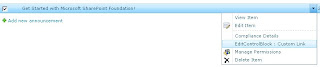
In my previous post, I demonstrated how to customise the User Interface for Libraries in SharePoint 2010 by adding links / custom actions in existing Menus, the Ribbon and Document Library Settings pages . This post follows on by demonstrating how to customise the interface for different types of lists built into SharePoint 2010 by adding new custom actions to the menus and existing groups in the Ribbon. Contents: 1. Extending the User Interface for Items 1.1 Add a custom link to the List Item Menu (ECB / LIM) for an Announcements list 1.2 Add a Custom Action to the “Manage” group in the Events tab of a Calendar / Events List 2. Customise the “New” menu and “New” Group on Ribbon for a Task List in SharePoint 2010 2.1 Add a Link to the New menu for a Task List 2.2 Add a Custom Control to the existing New Group in the Items tab on the Ribbon for a Task List 3. Add a link to the Custom Actions Group for a Links List in SharePoint 2010 3.1 Add a Custom Action to the Actions M...

SharePoint 2010: Extend the Document Library Menus, Ribbon and Settings Interface

Image
In this tutorial I demonstrate how to customise the interface for Document Libraries in SharePoint 2010 using Custom Actions . I explain how to target specific types of Libraries built-in to SharePoint, and how to include additional links/actions to menus, the Server Ribbon and settings pages associated with Document Libraries. This tutorial covers the following: RegistrationId’s for Document Library types in SharePoint 2010 A list of Registration ID used to target specific types of Document Libraries built-in to SharePoint 2010 when adding new links / controls to the built in Interface. 1. Customise the Interface for the New Menu and Ribbon Group 1.1 Add a link to the New Menu for a Document Library in SharePoint 2010 1.2 Add a control to the “New” Group on the Ribbon for a Document Library in SharePoint 2010 2. Customise the Interface for the Actions Menu and Library Action Groups on the Ribbon 2.1 Add a link to the Actions menu for a Document Library in SharePoint 2010 2.2 A...

Tutorial: Add Custom List actions using SharePoint Designer 2010

Image
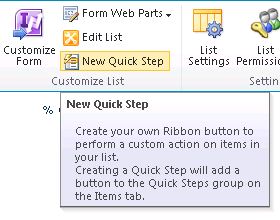
One of the new features of SharePoint 2010 is the ability to easily add Custom Actions buttons to the Ribbon, List item menu and the built-in forms (Display, Edit and New) .  This can be done with SharePoint Designer 2010 and the “Custom Actions” functionality .  In this tutorial I explain how to use this feature to add custom action buttons to various parts of the UI for lists and libraries in SharePoint 2010.

Add Custom Links to the SharePoint 2010 UI as a Feature with or without using Visual Studio

In this article, I demonstrate the process of adding a custom link and group to the UI in SharePoint as a Site Feature without using Visual Studio, as well as using Visual Studio.   In some cases you may not have Visual Studio installed on a Server running SharePoint, or may just want to quickly add a custom link in the interface such as on the Site Settings page, or the Actions or Settings menu for a Document Library or List.  In other cases you may have a project in Visual Studio containing new functionality to be deployed to a SharePoint environment, that needs to be accessed through adding custom links to the UI.  It makes sense to deploy the custom links as part of the solution feature, so I also explain how to achieve this from a Visual Studio Project.

Apply Permissions to Custom UI Links / Actions in SharePoint Menus and Settings Pages

Image
This post explains how to incorporate permissions into custom links and actions added to the UI on menus, toolbars and default layout pages such as the Site Settings page in SharePoint 2010 .     Examples included in the post are: Restricting custom links on list settings pages to only site collection administrators Adding custom actions to the Document Library dropdown menu (ECB - Edit Control Block) that are displayed only to users with edit permissions on the document. Displaying a link on the Site Actions menu only to users with access to manage  permissions for the current site. Displaying a custom link on the List Actions menu for users with access to manage the list. Display a link on the Site Settings page of a site to users with access to add and customise pages on the site, as well as apply themes and stylesheets to the site (Site Designers).