Posts

Low-code versus pro-code in Microsoft 365: how Power Platform rose, and how AI coding agents are reshaping the trade-offs

The low-code wave and the "citizen developer" promise Low-code/no-code platforms rose on a simple thesis: the demand for business software (forms, workflows, lightweight apps, departmental tools) outstripped the supply of professional engineering time, so organisations needed a way to deliver "good enough" solutions faster, with guardrails, and with more direct involvement from business users. This wasn't only a Microsoft story. Industry research and commentary in the late 2010s framed low-code as a major shift in how enterprises build software, often citing predictions that low-code would become a large share of application development activity. In parallel, analysts consistently described low-code as a speed lever that can "empower citizen developers", while also warning that hype and mismatched expectations can cause disappointment if governance, suitability, and long-term costs are ignored. Within Microsoft 365, the "citizen developer" na...

Web Service Response Cache using VB Script (VBS) and SharePoint

I recently wanted to display data from a Web Service on a page in SharePoint using XSL.   The Web Service was external to SharePoint, which resulted in the Data View web Part being unable to obtain a valid result required to allow the XSL template to be built using features of SharePoint Designer.  A separate issue was that the method used to query the web service hosted on my external server consumed resources on the external application and took around 5 seconds to receive a response from the query.  Using a Data View web part connected directly to the Web Service to display the result would require that the data is obtained every time the page loads, impacting on server performance.

Extend SharePoint 2010 User Interface for Lists - Ribbon, Menus & Toolbars

Image
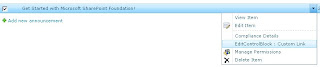
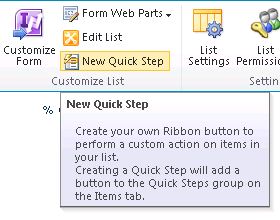
In my previous post, I demonstrated how to customise the User Interface for Libraries in SharePoint 2010 by adding links / custom actions in existing Menus, the Ribbon and Document Library Settings pages . This post follows on by demonstrating how to customise the interface for different types of lists built into SharePoint 2010 by adding new custom actions to the menus and existing groups in the Ribbon. Contents: 1. Extending the User Interface for Items 1.1 Add a custom link to the List Item Menu (ECB / LIM) for an Announcements list 1.2 Add a Custom Action to the “Manage” group in the Events tab of a Calendar / Events List 2. Customise the “New” menu and “New” Group on Ribbon for a Task List in SharePoint 2010 2.1 Add a Link to the New menu for a Task List 2.2 Add a Custom Control to the existing New Group in the Items tab on the Ribbon for a Task List 3. Add a link to the Custom Actions Group for a Links List in SharePoint 2010 3.1 Add a Custom Action to the Actions M...

SharePoint 2010: Extend the Document Library Menus, Ribbon and Settings Interface

Image
In this tutorial I demonstrate how to customise the interface for Document Libraries in SharePoint 2010 using Custom Actions . I explain how to target specific types of Libraries built-in to SharePoint, and how to include additional links/actions to menus, the Server Ribbon and settings pages associated with Document Libraries. This tutorial covers the following: RegistrationId’s for Document Library types in SharePoint 2010 A list of Registration ID used to target specific types of Document Libraries built-in to SharePoint 2010 when adding new links / controls to the built in Interface. 1. Customise the Interface for the New Menu and Ribbon Group 1.1 Add a link to the New Menu for a Document Library in SharePoint 2010 1.2 Add a control to the “New” Group on the Ribbon for a Document Library in SharePoint 2010 2. Customise the Interface for the Actions Menu and Library Action Groups on the Ribbon 2.1 Add a link to the Actions menu for a Document Library in SharePoint 2010 2.2 A...

Tutorial: Add Custom List actions using SharePoint Designer 2010

Image
One of the new features of SharePoint 2010 is the ability to easily add Custom Actions buttons to the Ribbon, List item menu and the built-in forms (Display, Edit and New) .  This can be done with SharePoint Designer 2010 and the “Custom Actions” functionality .  In this tutorial I explain how to use this feature to add custom action buttons to various parts of the UI for lists and libraries in SharePoint 2010.

Add Custom Links to the SharePoint 2010 UI as a Feature with or without using Visual Studio

In this article, I demonstrate the process of adding a custom link and group to the UI in SharePoint as a Site Feature without using Visual Studio, as well as using Visual Studio.   In some cases you may not have Visual Studio installed on a Server running SharePoint, or may just want to quickly add a custom link in the interface such as on the Site Settings page, or the Actions or Settings menu for a Document Library or List.  In other cases you may have a project in Visual Studio containing new functionality to be deployed to a SharePoint environment, that needs to be accessed through adding custom links to the UI.  It makes sense to deploy the custom links as part of the solution feature, so I also explain how to achieve this from a Visual Studio Project.

Apply Permissions to Custom UI Links / Actions in SharePoint Menus and Settings Pages

Image
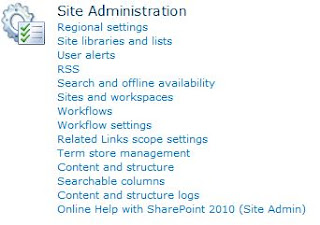
This post explains how to incorporate permissions into custom links and actions added to the UI on menus, toolbars and default layout pages such as the Site Settings page in SharePoint 2010 .     Examples included in the post are: Restricting custom links on list settings pages to only site collection administrators Adding custom actions to the Document Library dropdown menu (ECB - Edit Control Block) that are displayed only to users with edit permissions on the document. Displaying a link on the Site Actions menu only to users with access to manage  permissions for the current site. Displaying a custom link on the List Actions menu for users with access to manage the list. Display a link on the Site Settings page of a site to users with access to add and customise pages on the site, as well as apply themes and stylesheets to the site (Site Designers).

SharePoint Application Page Security

This article covers information relating to security for Application pages and page components in SharePoint: Selecting the correct base class to inherit from when developing Application Pages in SharePoint Securing Application pages with user permissions Specifying when the CheckRights method is called to determine if a user has access to the page. Programmatically check if the user has permission to access the page Code Access Security (CAS) Policy for SharePoint Components

SPBasePermissions Usage With (Programmatic) and Without Code

In this post, I list some of the properties and methods that return a SPBasePermissions enum , and some methods that take SPBasePermissions as a parameter when checking if a user has certain rights on an object in SharePoint.  Later in the post I also explain how the permission masks with SPBasePermissions can be used to customise (show / hide ) content and custom UI actions / links without using code. Programmatic uses of SPBasePermissions to check for or set permissions on various objects in SharePoint The following are some of the more common components in SharePoint that can be used to get or set permissions, or check if certain permissions are effective for a user on the object. Get or set the Base Permissions for a Role Definition in a Web SPWeb.RoleDefinitions.BasePermissions Get the current or specified user’s effective SPBasePermissions on an object (SPWeb, SPList, SPListItem, etc.) Username passed as String to GetUserEffectivePermissions(): SPSite SPSi...

Permission Based Content in SharePoint (With Examples)

The examples in this tutorial demonstrate how to restrict certain content or controls on a page in SharePoint to specific users based on their permissions .  It can be applied to a Master Page, or directly to a .aspx page in SharePoint using SharePoint Designer.  Many options are available to configure exactly how and when the content should be displayed using the base permissions available in SharePoint with the SPSecurityTrimmedControl class. The complete list of base permissions that can be used with the class can be viewed on this page: SPBasePermissions .  It is also possible to show or hide content based on user authentication using the AuthenticationRestrictions property of the class, which may be useful if you want to display a different set of links depending on if a user has been authenticated or is anonymous. Below are some examples of base permissions that are more likely to be used to restrict content to specific users with the associated permi...