Posts

Showing posts from May, 2009

Data View conditional formatting using SharePoint Designer
Image
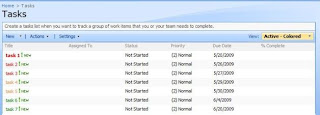
This article demonstrates how to use SharePoint Designer 2007 conditional formatting to format items in a SharePoint (MOSS 2007) list based on item metadata. The example uses a standard SharePoint task list and formats tasks based on the due date. The end result is a list view sorted by due date with item text or background coloured to represent the number of days until the due date. The Process In this example I have started with a standard task list and have created a few sample items for testing / demonstration. From the task list, create a new view, starting from the default “Active Items” view (filtered to only display incomplete tasks). The view created in the example is called “Active – Coloured” Open the view using SharePoint Designer. Right click on the List View Web Part and select “Convert to XSL Data View”. This will automatically convert settings for the current view into data view parameters. Once the Web Part has been converted into a Data View...

SharePoint Designer (2007) - Run reports for all sites programmatically

Ever needed to generate reports using SharePoint designer for all sites in a site collection? The following code takes a pre-pared list of sites from your site collection and programmatically runs the specified report on each. The example used below automatically creates a ‘Customized Pages” report for every site, which is saved into a document library in the site collection. This is achieved by using Visual Basic (VB) code inside a SharePoint Designer module (Macro), to load each site and save the required reports. The following is a full list of reports supported by SharePoint Designer. To run a different report, change the highlighted text to the type required for the report. If you require multiple types reports to be run, add a new line to save the report for each required type. To avoid report types for a single site or sub-site overwriting each other is saving multiple, I would suggest adding the name of the report type to the beginning of the filename. For more information, or...